CRM MADE SIMPLE FOR SCHOOLS IN 2021
Microsoft Dynamics 365 is a cloud-based platform with a specifically designed vertical for education. Microsoft are also committed to helping the Education sector and therefore offer up to 80% off most of the Power Platform Apps that make up Dynamics 365 for schools, HE and Universities.

CRM systems were designed to collect customer-centric data and as they evolved, they became sector specific. Within that, certain ones became synonymous with certain sectors. The other evolution that has taken place in the last ten to fifteen years is that CRM systems are not now restricted to on-site server rooms but can be cloud-based too.
So how do you make the right choice for your school, university, or FE college? Whether you have a legacy CRM or are wanting a new solution, I would say the questions you would need to ask yourself are the following:
- Will my new CRM give us longevity?
- Will my new CRM need a dedicated IT person?
- Will my new CRM scale-up?
- Will my new CRM be cost-effective?
The answer to the first three questions will rule out an on-site server, as this will not give you longevity, you will need continuous IT support, and it will not necessarily scale. So, you are now looking for a cost-effective cloud-based solution which is education specific.

Dynamics 365 as the hub for all
When MS Dynamics 365 is integrated with all your legacy systems/platforms, it will act as a hub for all – and you will gain a 360-degree view of all.
EDUCATION SPECIFIC CRM SOLUTION
Microsoft Dynamics 365 is a cloud-based platform with a specifically designed vertical for the education sector, which means you will have all the entities you need to create precise records. To read more on this see our Education Solution page.
Integration
Legacy platforms can be integrated, or the the data migrated easily. Web-based platforms specific to the education sector can also be integrated, so MS Dynamics 365 acts as the hub over all, giving you a 360-degree view.

Does D365 have tight integration with Office 365?
Many of you will already be using Microsoft 365 (was Office 365) so you’ll have utilised the suite of programs within it – Word, Excel, PowerPoint and Notebook, these are a standard part of MS Dynamics 365 too.
Using the Teams app, you will also be able to have instantaneous communications with anyone on your network, which keeps your whole school/college/university team on the same page. Within the Teams app you can also create segmented Teams with colleagues in the same department, for example, or between yourself and administration. Again here, information can be shared instantaneously, including documentation which includes file sharing in SharePoint – vastly reducing the necessity for email streams.
Since Covid-19 education establishments have also made use of voice and video calls within the Teams app, for one to one, and for meetings as it works across all media devices – so all you need is wifi access.
See our 2021 Teams for your team blog, with amazing Microsoft video clips.
Is D365 cost effective?
MS Dynamics 365 is formed by Licenses, so you only pay for the Licenses you need – this is not only cost-effective, but it means you can scale instantly. So, if you have a visiting lecturer/teacher you can give them access to all that they need for under £5 p/m. Visiting lecturers and teachers can also be easily included as you can pay or cancel monthly for their license.
Using licenses will also mean your CRM solution can flex, so if for example, if you identify increased revenue in an area and want to capitalise on this; we can leverage the license you have to do the task or swap them out for more specific ones.
Another positive for education establishments, especially universities or colleges that have amalgamated campuses, is that roll-outs are stage by stage. This is part of the design of MS Dynamics 365, so each stage can be ticked off, before the next stage begins. With MS Dynamics 365 you will have a working dashboard almost at once, meaning you are in the driving seat. This enables you and your staff to feedback to us, which we take on-board and configure into your platform, to give you a tailor-made solution.
ADMINISTRATION
Can I nurture prospects and enrolees? Yes
Will I have a complete view of each pupils/students attendance, courses, internships, accomplishments, extra-curricular activities, interventions, assessments, and behaviour incidents, so that I can take informed actions to support students? Yes
HR
Can staff/pupils/students update their own information? Yes
Can I streamline admissions and recruitment? Yes
Can I nurture partner collaborations? Yes
STAFF/LECTURERS/TEACHERS
Can I illustrate pupil/student progress? Yes
Can I see pupil/student insights, so I can keep them on track? Yes
PUPILS AND PARENTS(CAREGIVERS)/STUDENTS
Can I see my progress? Yes
Can I/or my parent(caregiver) alter personal details records? Yes
Can I submit my work, and receive feed-back? Yes
Can I get help/support? Yes
Can I access everything I need from any media device? Eg. Phone, tablet, laptop. Yes
MARKETING
Can I link data from marketing platforms directly back into CRM? Yes
Can I link Social media campaigns back into CRM? Yes
GOVERNING BODIES/TRUSTEES
Can I track financial performance? Yes
Can I manage and collaborate with other members? Yes
Can I ensure compliance? Yes
I will now go into more specific detail for each role below.
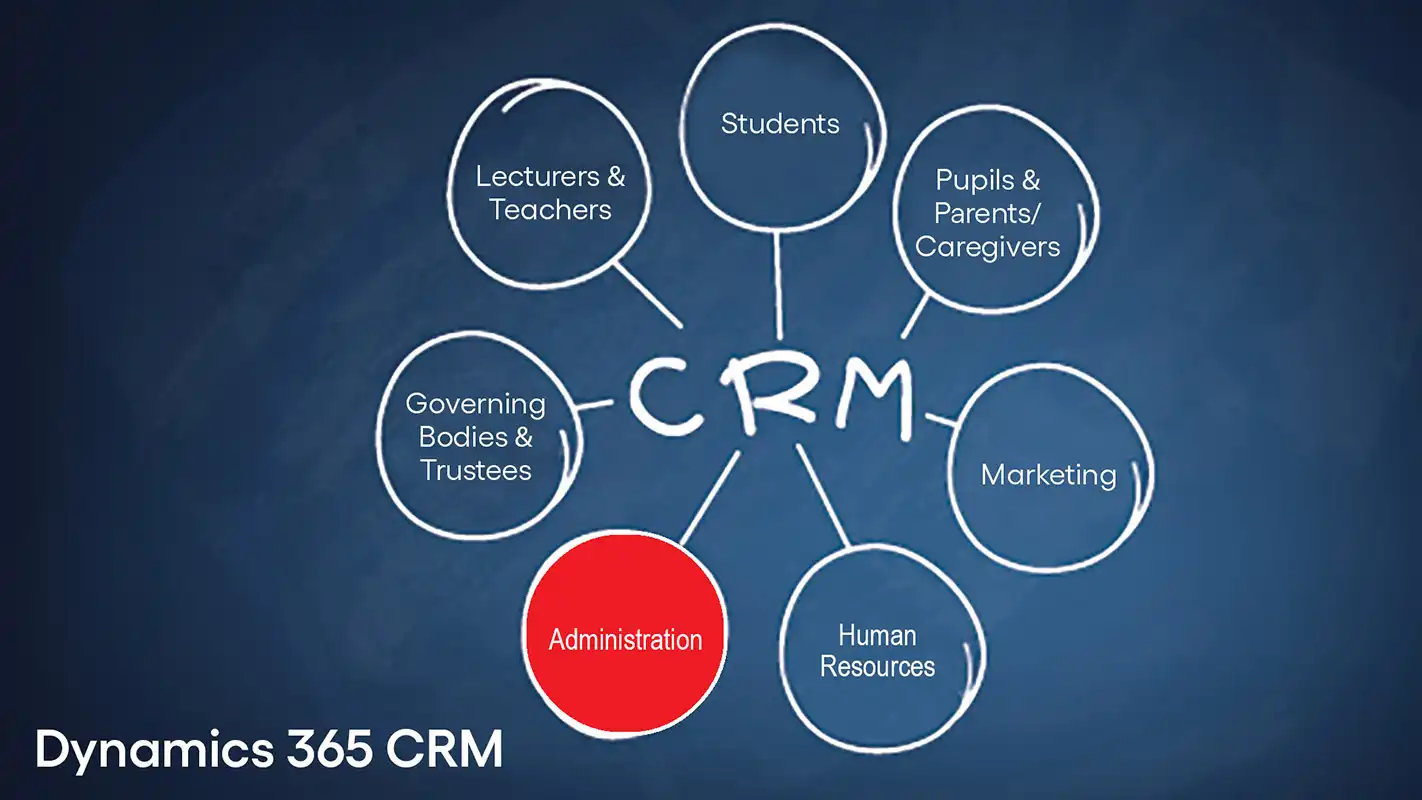
CRM for Administration
Schedule, track and plan from one dashboard. Build and store pupil/student profiles that can be segmented according to your needs. Track pupil/student interactions across all platforms to gain a 360-degree view, choosing appropriate media methods for interaction e.g., Phone, email, SMS and instant messaging.
All interactions made with your team will be viewed on one dashboard, which can be used to create a ‘lead score’ for prospective pupils/students, from the moment they fill out an enquiry on the website. On-boarding and progress can be tracked too, by all your team, so ‘jumping in’ if colleagues leave is straightforward and reassures the student that they are not just a number.
Automation can also be used at the enrolment stage to send over relevant prospectuses/forms, to the enrolee, promptly when they sign-up. Follow-ups can be automated as you build workflows with qualifiers that can trigger a single staff member or a team. Duplicated workflows are also avoided as all interactions are in chronological order.
Your dashboard will include:
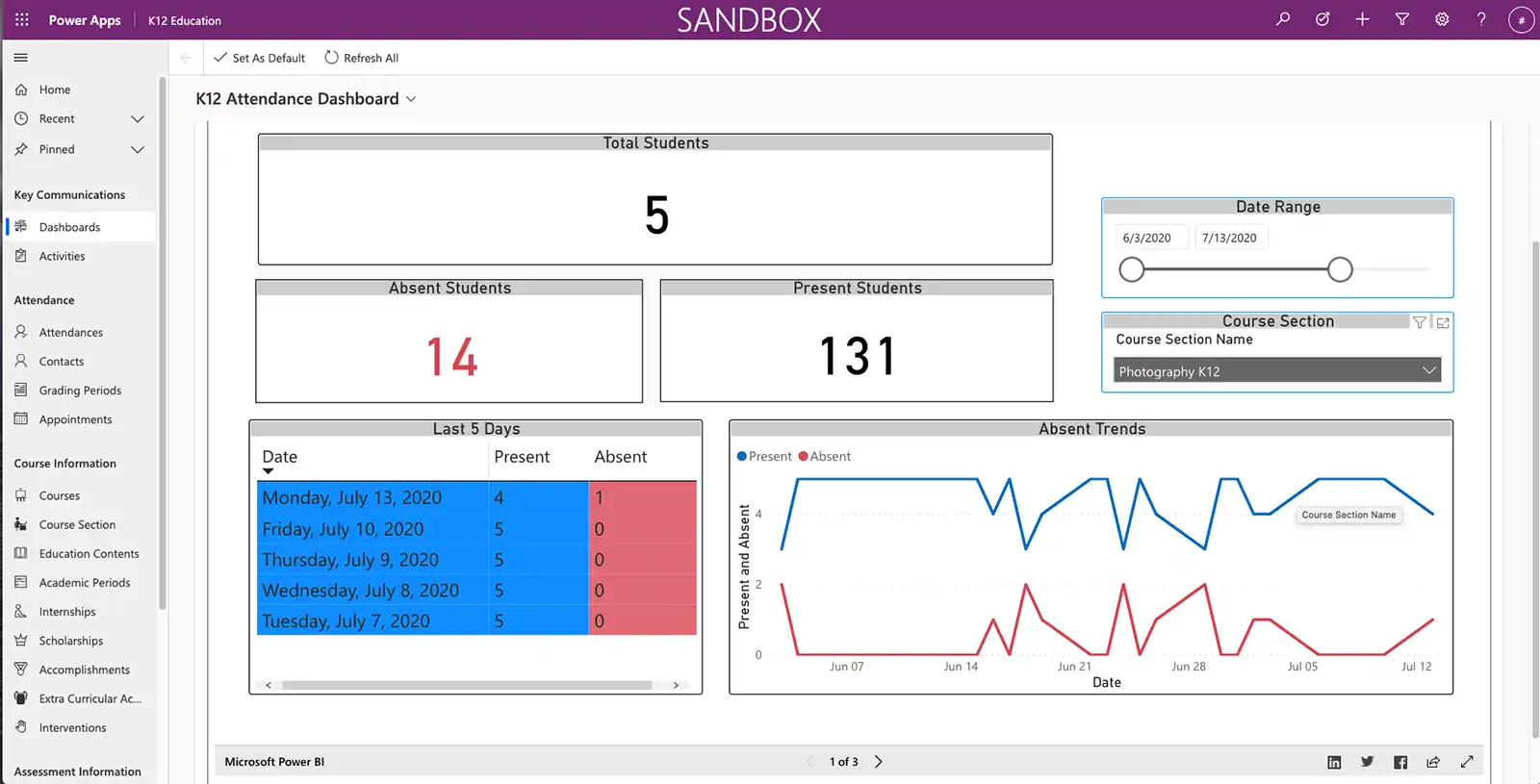
Attendance dashboard for School administrators
This dashboard gives a clear overview. From here you can click through to more detail.

Course selection for School administrators
This screen gives a clear view of all the courses running at the school. From here you can click through on each, for more in-depth detail.

Learning standards
Learning standard details for all courses running

Learning standard
Learning standard for photography

Problem incident
Problem incident screen, where you can click-though for further details, and to progress interventions.

Intervention participants
Intervention participants page

Meet with parents
This page is simply navigated to, through the Intervention participants page.
You will benefit from a 360-degree view of each student with an activity summary which is a record of all communications including: Telephone calls, meetings, emails and SMS, which are further categorized by connected, busy, no answer etc.

CRM for HR/Human resource specialist
HR/Human resource specialist dashboards can be created using drag and drop so only the information pertaining to the department need be included.
Day-to-day staffing of the school system, which includes staff recruitment, salary ranges, employment tests, personnel procedures, employment law, operation calendars, and teacher unions; can all be segmented on one dashboard with the relevant documentation for each segment also viewable.
Your Dynamics 365 CRM is the hub, and you can push and pull your specific information directly to you in real-time. Updates are also made in real-time, speeding up processes and enabling file-sharing which avoids any duplications being made.
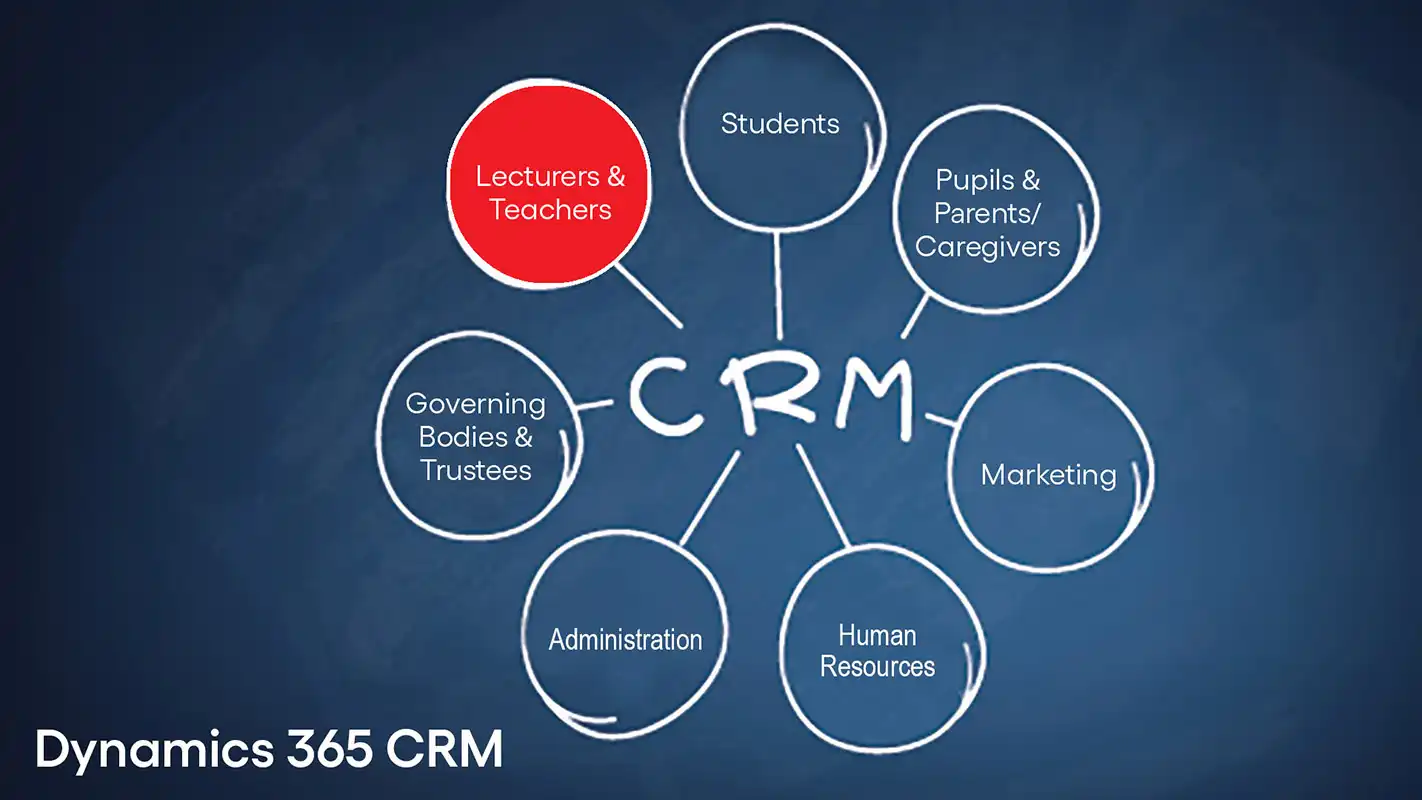
CRM for staff/lecturers/teachers
MS Dynamics 365 will enable a 360-degree view on one dashboard, so mentoring pupils/students, even if they are working off-campus becomes easy. All interactions can be seen on one screen, simplifying monitoring progress. Homework and projects can be summited through portals, which can be integrated with your website; so, your website remains the hub for students to interact with.

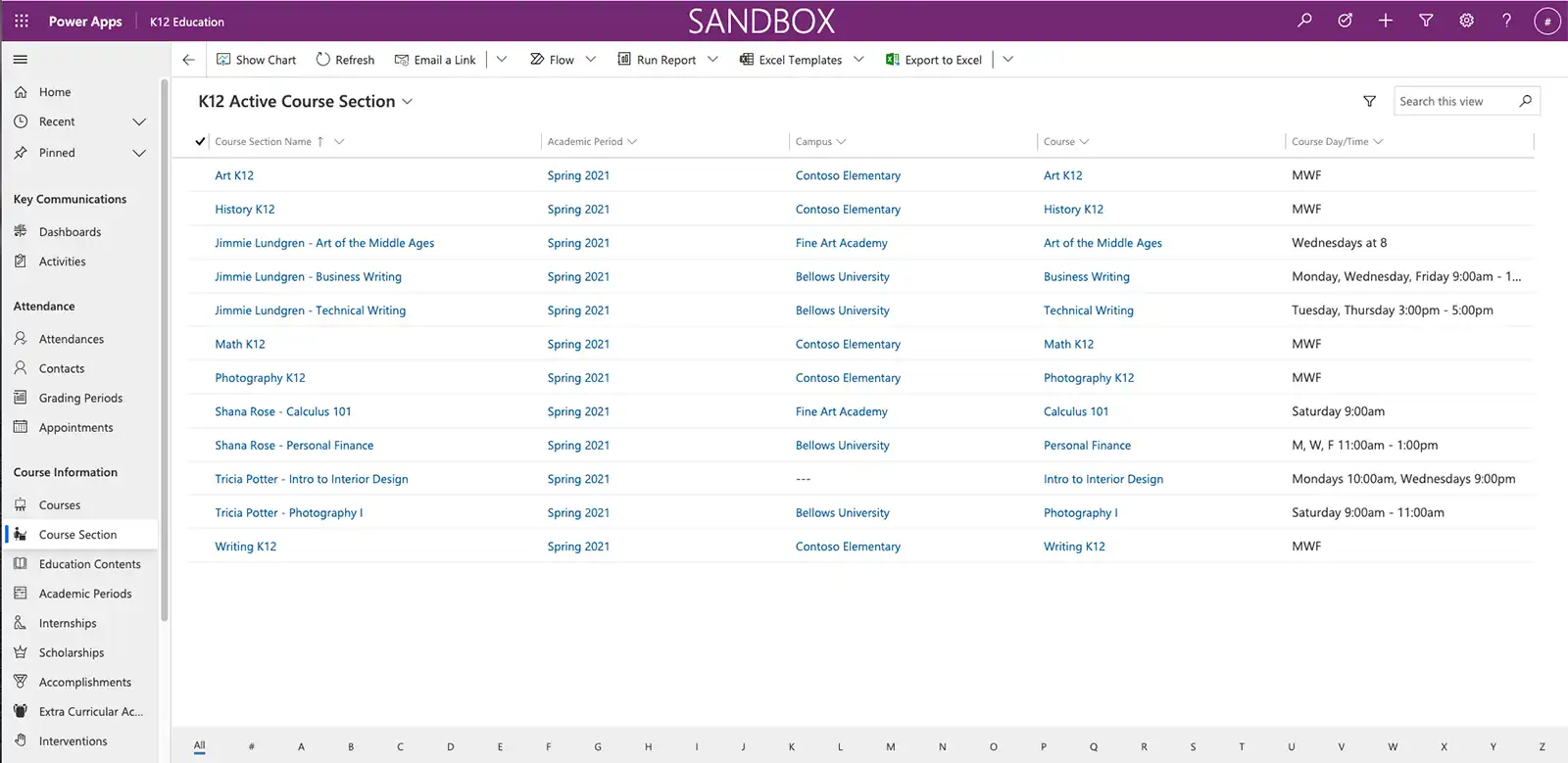
Active course selection - screen for staff/lecturers/teachers
This is a full list of all the courses running. For quick searches, the alphabet at the bottom of the screen can be clicked for say Math, by clicking the letter M.
Learning standards
Active learning standards for schools. this page can be clicked-through to drill down to more detail on each standard. This includes files and documents stored on the CRM.

Pupils and parents(caregivers)/Students
Portals can also be created that sit alongside your website, these are secure and easy to access for both pupils/students and staff/lectures, as they work in real-time and you can log-in from any media device.
Using portals eradicates email streams, where forms need to be downloaded, filled and reattached, as the data will be submitted directly to CRM, triggering an automation whereby the user is notified of successful completion, and you can either by notified or the next interaction can be added to a colleague’s calendar – speeding up processes.
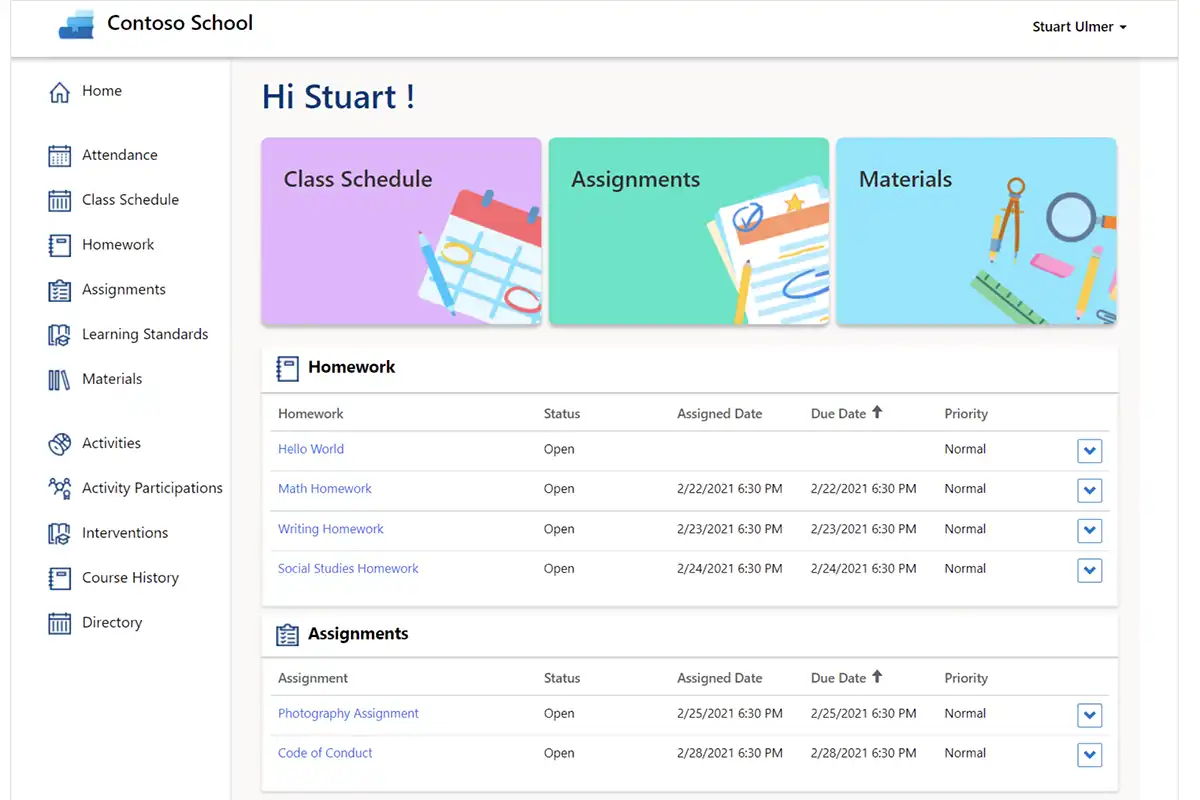
Dashboard of a schools pupil & parents/carers portal
This simple dashboard will show the pupil and parents/carers the courses selected and grades. They will also be able to click through to timetables etc.

Schools pupil & parents/carers portal screen for attendance
Attendance can be viewed weekly

CRM for Marketing
Having worked recently with a University, we found that each campus was using a different marketing platform e.g. Mailchimp, Click Dimensions, etc. These can be integrated with MS Dynamics 365, so their automations can be used, and all the information gathered will go directly to your CRM. Being able to still utilise these well-trusted and well-rehearsed channels means that you’ll benefit from their marketing expertise and their commitment to enhancing the marketing spectrum. Microsoft works with their experts, appreciating marketing technology and the data it collects, which is then fed directly into your CRM – integrating and automating the marketing funnel.
Social media platforms can also be integrated so campaigns can be monitored from one dashboard allowing funnels to intertwine – thus nurturing leads towards conversion.
MS Dynamics 365 works at a granular level so all data can be correlated and tracked from each interaction and source, enabling marketeers to have a 360-degree view. Whether you are marketing to enrollees, existing students or alumni, your dashboards can be tailor made by drag and drop to allow full visibility and reporting, which will include:
Speed to Lead
Which measures following-ups once they enter the system. You also get a view of ‘no scheduled follow-up’ so no-one is missed.
Meetings Outcome
Summarise meetings with leads.
Leads by Stage
This is segmented showing the percentage and number of each.
Leads by Program
Showing the percentage and number on each program/course.
Leads by Source
See which campaign and marketing platform are producing results.
Lead Status
Hot, Warm, Cold, Not Interested, Not Applicable.
Lead Conversion
Which can include: Held a meeting, made an application, or enrolled.

CRM for Governing Bodies/Trustees
Dashboards can be tailored using drag and drop to see financial performance, at a glance, in real-time. Reporting can be seen on any media device, eradicating the need for spreadsheets; although if they are needed data can also be downloaded in Excel format.
Governing Bodies/Trustees will have role-based permissions giving them access to what they need, on their dashboard with collateral documents included in categories including: Leadership, accountability, structures, and people.
Results driven CRM
We champion MS Dynamics 365 as it offers greater flexibility to our clients. We are working on an on-going basis with a prominent University, who are deploying campus by campus, and they are finding that their staff are taking to it easily, and relishing the unification it’s bringing them.
Once the platform is configured to your specific needs, D365 will give you good ROI, as reporting and communication will be simplified, and our role doesn’t end at this point, as we will give you the training you need to get started and be available with CTO as a service in the future – Inturi believe that the relationships we build with clients are on-going and are to be nurtured.
For more in-depth information on the Education vertical please visit our Sector page: EDUCATION SOLUTION
Call us for any help and advise. We will not blind you with science.
SHARE POST
TECHNOLOGY CAN RULE YOU OR BE YOUR TOOL
Find out more about your digital CRM solution today.
For further information book a call
Or call us now